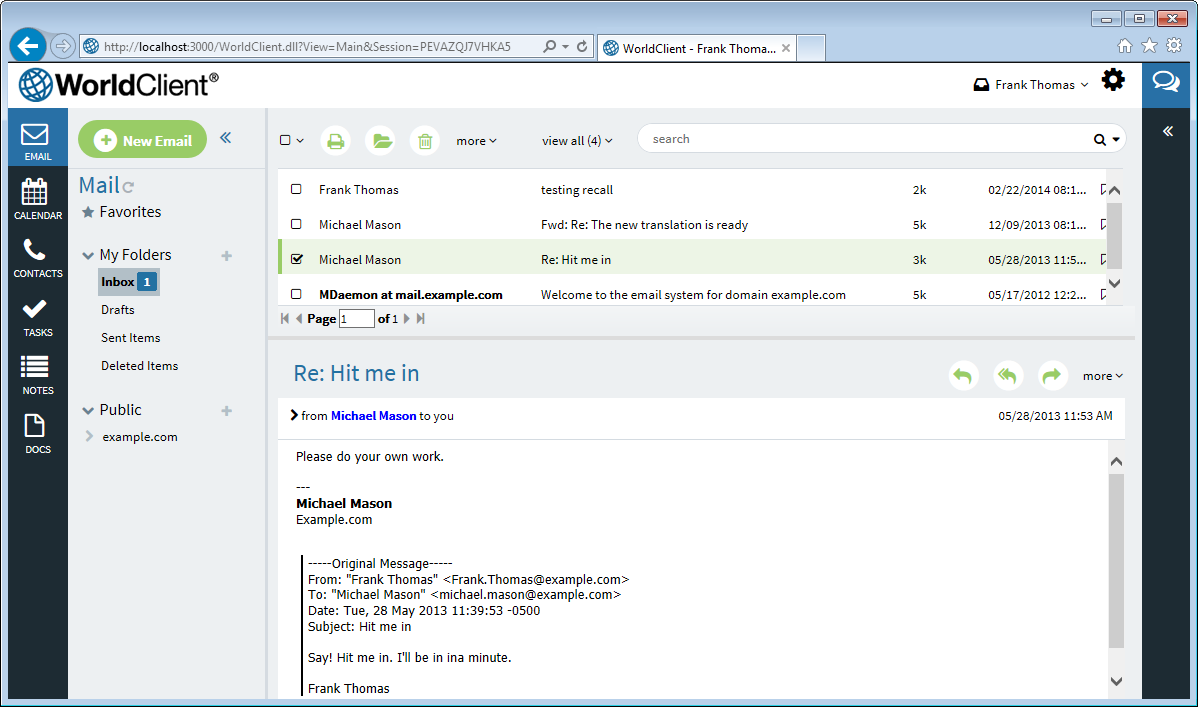
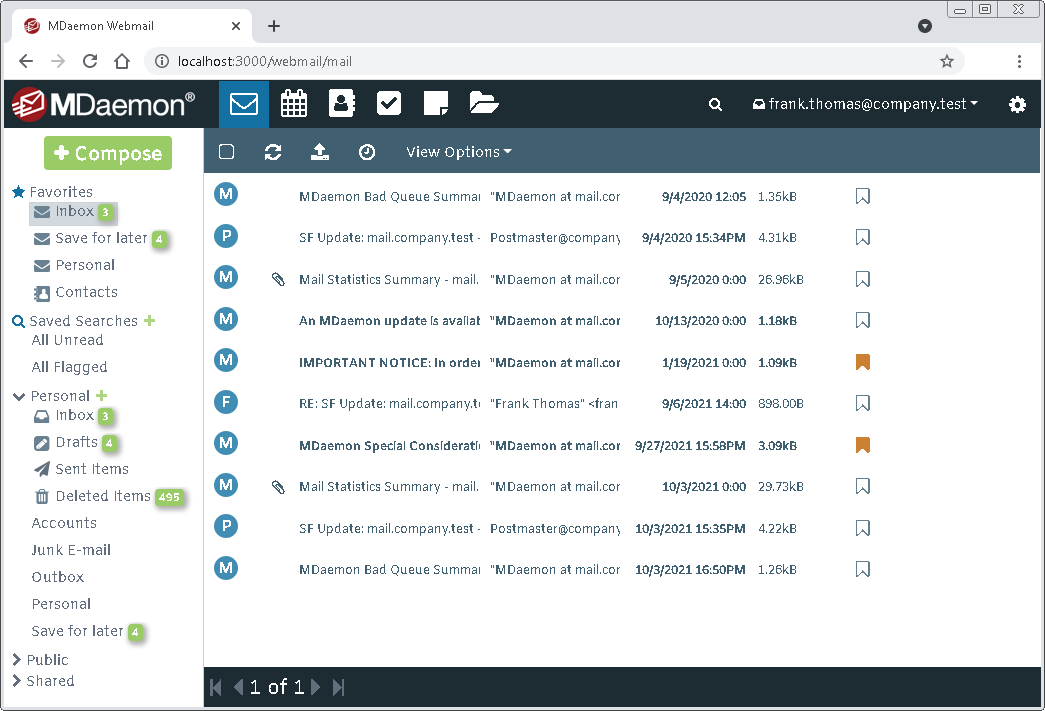
MDaemon Webmail offers two themes: WorldClient and Pro. WorldClient is Webmail's main theme and the one most people use. It brings email, calendar, contacts, tasks, notes, documents, chat, and web conferencing together in one full-featured workspace. It works best on a desktop or laptop, but it works well on devices too. Pro was designed primarily for smartphones and tablets, with a touch-friendly layout that adapts to smaller screens, but many prefer to use it on their computer as well. Both themes include Webmail's core features, so you can use whichever one suits the device you are on. You can choose a theme on the Sign-in page, or, if you are already signed in, switch themes at any time from the Personalize page under the Settings menu.
Depending on your organization or email provider, you may not have access to every theme. Also, chat and web conferencing may not be available on every account.
WorldClient
The WorldClient theme is Webmail's main theme, completely redesigned to put everything you need in one place. Email, calendar, contacts, tasks, notes, and documents are always close at hand, and built-in chat lets you have one-on-one conversations, create or join chat rooms, share files, react to messages, and see when others are typing. While you chat, a side panel shows your newly arrived email, so you can reply to, flag, snooze, or delete messages without leaving the conversation. WorldClient also offers web conferencing, cloud storage, AI tools that can summarize messages and help you write replies, dark mode, and a choice of fonts, and a short welcome tour helps you find your way around the first time you sign in. It is designed for desktop and laptop computers and also adapts to tablets and smaller screens, making it the best choice for most users.
Pro
The Pro theme was designed primarily for smartphones and tablets. Its touch-friendly layout automatically adjusts to the size of your screen, making it easy to read and send email, check your calendar, and manage your contacts, tasks, notes, and documents on the go. Pro also works well on a desktop or laptop, and because it looks and works the same on every device, you can move between your phone and your computer without having to learn a different interface. It includes web conferencing, cloud storage, dark mode, and AI tools that can summarize messages and help you write replies. If instant messaging is available to you, you can also chat with your contacts right in your browser. Just turn on instant messaging on the Personalize settings page, and your contact list and chat windows will appear alongside your email. Choose Pro if you use Webmail mostly on a phone or tablet, although some prefer WorldClient on those devices too.
See also